> ## Documentation Index
> Fetch the complete documentation index at: https://tashfiq.mintlify.site/llms.txt
> Use this file to discover all available pages before exploring further.
# report
> Generate a shareable Charter report artifact in HTML, Markdown, or JSON.
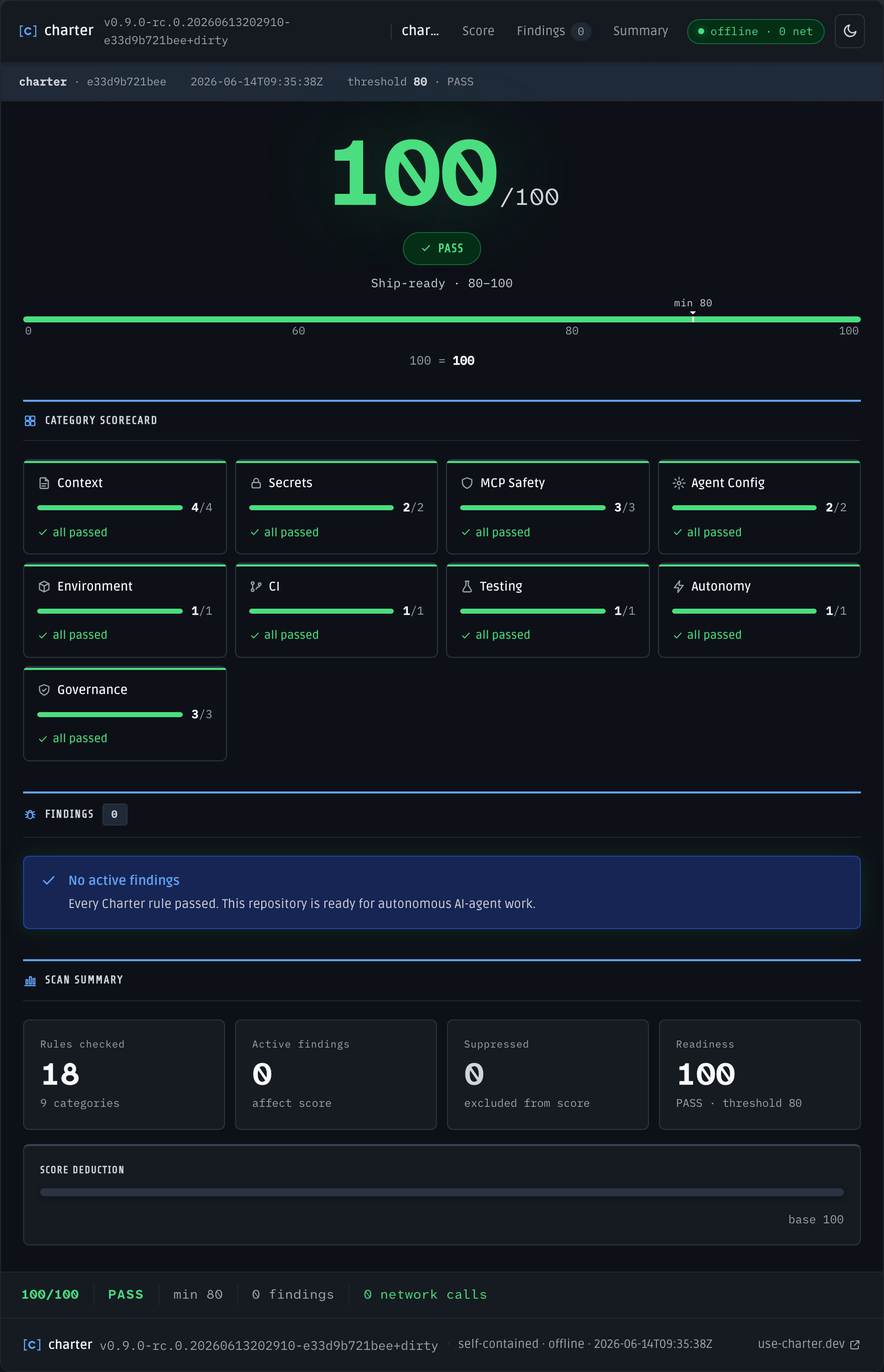
`charter report` renders the same scan as `charter doctor` into a portable file artifact you can share with teammates, attach to a ticket, or archive alongside a release. The default output is a single self-contained HTML file that opens directly from `file://` with no server required.
`charter report` always exits `0` on a successful write, regardless of the underlying score. It is not a CI gate — use `charter doctor` for that.
## Usage
```bash Generate HTML report (default) theme={null}
charter report
```
```bash Open immediately in browser theme={null}
charter report --open
```
```bash Write to a specific path theme={null}
charter report --out /tmp/my-report.html
```
```bash Markdown format (for embedding in PRs or wikis) theme={null}
charter report --format markdown
```
```bash JSON format (for tooling) theme={null}
charter report --format json
```
 ## Flags
Output format. Defaults to `html`. The `markdown` and `json` formats reuse the same renderers as `charter doctor`.
Output file path. When omitted, Charter writes `charter-report.html`, `charter-report.md`, or `charter-report.json` in the current directory depending on the selected format.
Launch the written report in the OS default application after writing. Best-effort only — no error is returned if the launch fails.
Explicit repository root to scan. Defaults to the current working directory.
Score threshold reflected in the report output. Unlike `charter doctor`, `report` does not fail the process when the score is below this value.
## HTML Report Properties
The HTML report is a single-file artifact with the following guarantees:
* **Self-contained** — all CSS, JavaScript, fonts, and scan data are inlined
* **Offline-first** — opens from `file://` with no network dependency
* **Zero network calls** — nothing is fetched at render or view time
* **WCAG 2.2 AA** — meets accessibility contrast and interaction requirements
## Exit codes
`charter report` is not a gate — it always exits `0` on a successful write, regardless of the score.
| Code | Meaning | When |
| ---- | ------- | ----------------------------------------------------------------------- |
| `0` | Pass | The report was written successfully, regardless of the underlying score |
## Related
The gating command that produces the same scan `report` renders.
Publish a report artifact from a CI run.
## Flags
Output format. Defaults to `html`. The `markdown` and `json` formats reuse the same renderers as `charter doctor`.
Output file path. When omitted, Charter writes `charter-report.html`, `charter-report.md`, or `charter-report.json` in the current directory depending on the selected format.
Launch the written report in the OS default application after writing. Best-effort only — no error is returned if the launch fails.
Explicit repository root to scan. Defaults to the current working directory.
Score threshold reflected in the report output. Unlike `charter doctor`, `report` does not fail the process when the score is below this value.
## HTML Report Properties
The HTML report is a single-file artifact with the following guarantees:
* **Self-contained** — all CSS, JavaScript, fonts, and scan data are inlined
* **Offline-first** — opens from `file://` with no network dependency
* **Zero network calls** — nothing is fetched at render or view time
* **WCAG 2.2 AA** — meets accessibility contrast and interaction requirements
## Exit codes
`charter report` is not a gate — it always exits `0` on a successful write, regardless of the score.
| Code | Meaning | When |
| ---- | ------- | ----------------------------------------------------------------------- |
| `0` | Pass | The report was written successfully, regardless of the underlying score |
## Related
The gating command that produces the same scan `report` renders.
Publish a report artifact from a CI run.