

charter doctor is the primary Charter command. It resolves the target repository, loads the effective score threshold from charter.yaml or the --threshold flag, evaluates the full rule set, renders the result, and exits with a code that is safe to use in local workflows, pre-commit hooks, and CI pipelines.
Usage
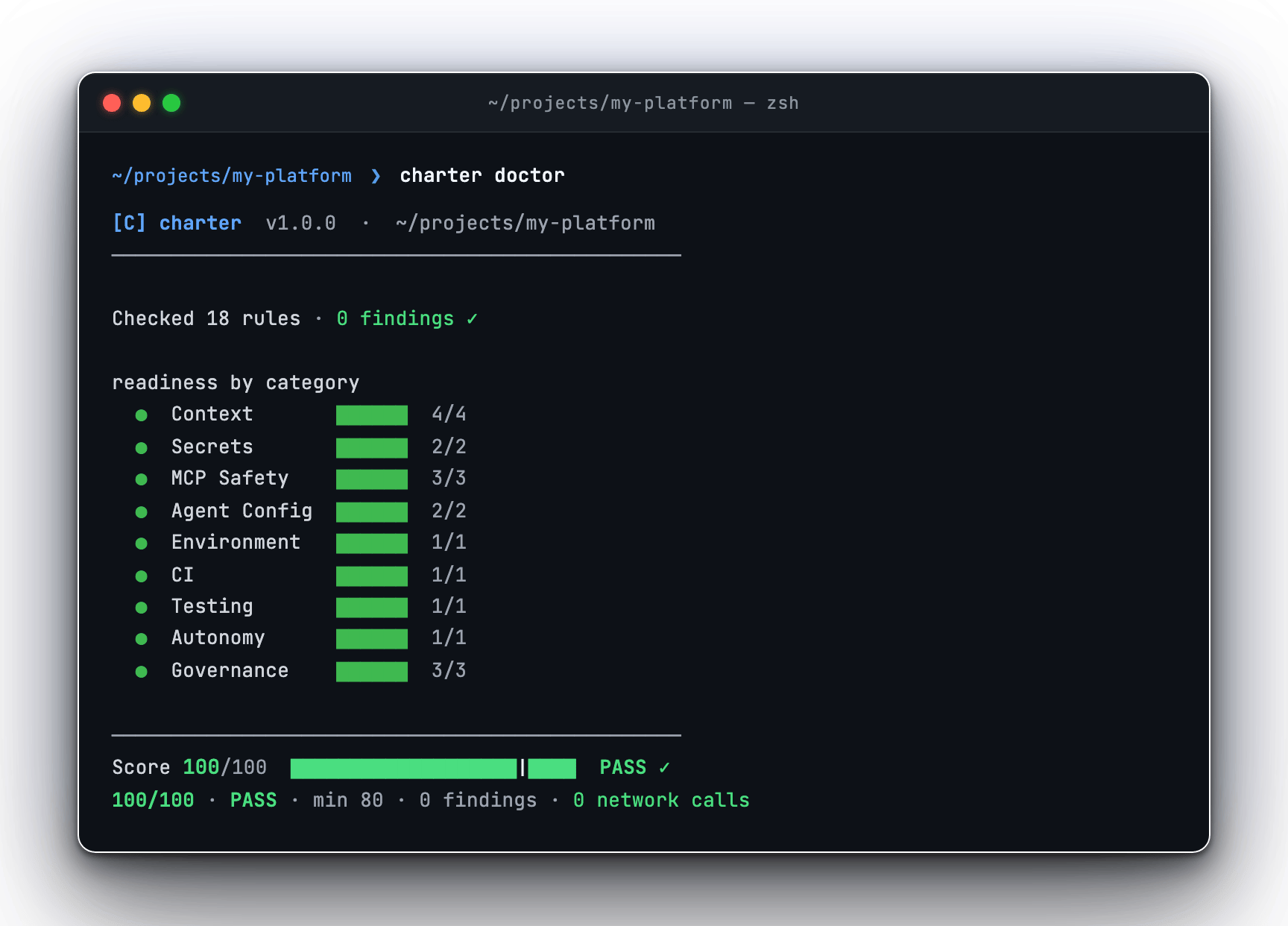
charter doctor — styled terminal output with category scorecard and findings
Flags
string
Explicit repository root to scan. Defaults to the current working directory.
int
Minimum passing score. Overrides the threshold or profile value in
charter.yaml when provided.text | json | markdown | sarif
Output format. Defaults to
text. In a TTY, text renders styled terminal output; when piped or redirected, it falls back to a plain byte-stable stream.string
Write the rendered output to a file instead of stdout.
string
Comma-separated rule IDs for a scoped text-only view. Omits the overall score and exits
1 if any named rule fired. Incompatible with --interactive.boolean
Suppress non-failure output. Useful in hooks and CI. Applies to text output only — JSON, Markdown, and SARIF still emit the full payload.
auto | always | never
Color output mode for text rendering. Defaults to
auto.boolean
Disable color. Equivalent to
--color=never and wins over --color when both are set.boolean
Open the interactive TUI. Requires a real terminal.
Output Formats
- Text (default)
- JSON
- Markdown
- SARIF
Styled terminal output with a category scorecard, per-finding evidence rows, and a score hero at the bottom. In a TTY, Charter renders color and box-drawing characters. When stdout is piped or redirected, it falls back to a plain, byte-stable stream safe for log capture.
Interactive TUI
charter doctor -i opens a full-screen terminal UI over a single scan result. It is a browser over the findings, not a different scan engine.

charter doctor -i — interactive TUI with filter, search, and drill-in
--out, --quiet, non-text --format, or --rule.
-i requires a real TTY. It exits with code 2 if stdin is not a terminal.Exit codes
Related
GitHub Action
Gate pull requests on the Charter score in CI.
Scoring and caps
How the 0–100 score and severity caps are computed.
fix
Apply diff-first auto-repair for supported findings.