

charter report renders the same scan as charter doctor into a portable file artifact you can share with teammates, attach to a ticket, or archive alongside a release. The default output is a single self-contained HTML file that opens directly from file:// with no server required.
charter report always exits 0 on a successful write, regardless of the underlying score. It is not a CI gate — use charter doctor for that.Usage
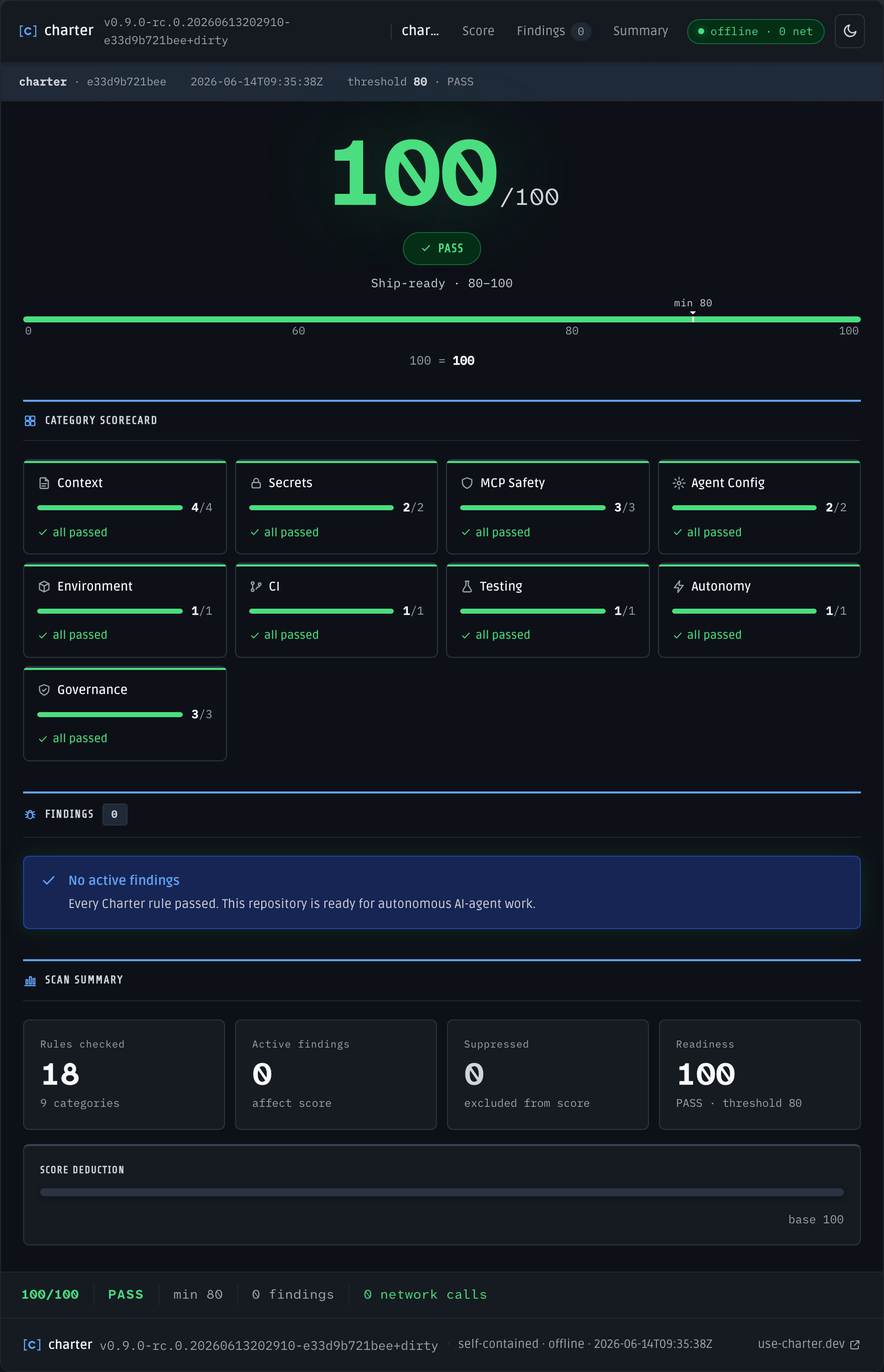
charter-report.html — self-contained offline HTML report with score, findings, and breakdown
Flags
html | markdown | json
Output format. Defaults to
html. The markdown and json formats reuse the same renderers as charter doctor.string
Output file path. When omitted, Charter writes
charter-report.html, charter-report.md, or charter-report.json in the current directory depending on the selected format.boolean
Launch the written report in the OS default application after writing. Best-effort only — no error is returned if the launch fails.
string
Explicit repository root to scan. Defaults to the current working directory.
int
Score threshold reflected in the report output. Unlike
charter doctor, report does not fail the process when the score is below this value.HTML Report Properties
The HTML report is a single-file artifact with the following guarantees:- Self-contained — all CSS, JavaScript, fonts, and scan data are inlined
- Offline-first — opens from
file://with no network dependency - Zero network calls — nothing is fetched at render or view time
- WCAG 2.2 AA — meets accessibility contrast and interaction requirements
Exit codes
charter report is not a gate — it always exits 0 on a successful write, regardless of the score.
Related
doctor
The gating command that produces the same scan
report renders.GitHub Action
Publish a report artifact from a CI run.